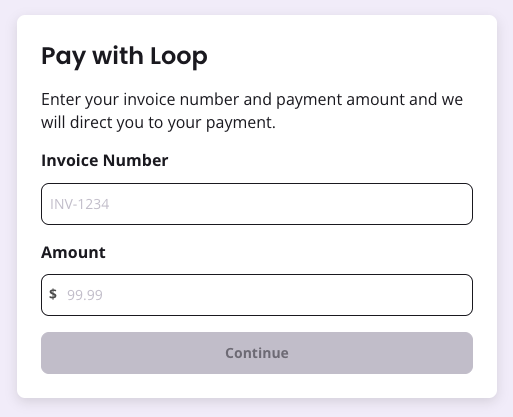
- Embed this link when sending one-off invoices not tied to a subscription (directions below on how to automatically have the link in all one-off invoices sent).
- Find this link on your company dashboard on the Payment Link page, called “General One-off Invoice”
- The customer will be ask to pay the final due amount, including any taxes, fees, coupons, etc.
Requirements
- The invoice must be priced in USD.
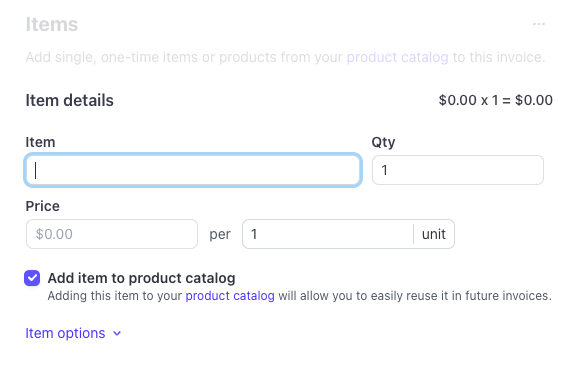
- The items included in the invoice must be in your product catalog. If you are adding a new item, you will need to tick the box “add item to product catalog.”
Payment confirmation
After the customer has successfully gone through the Loop checkout and the transaction is finalized, Loop will automatically mark the Stripe invoice as paid and include the transaction hash within the memo field of the payment. You can read about which Stripe webhooks to listen to here.Net Payment Terms
If your invoice has net payment terms, the payment link will show the due date to include the payment days. However, upon completing the payment link, the payment will be charged immediately and the invoice will be marked paid.Debugging errors
Payers will see an error message if any of the following is true:- Invoice number entered isn’t found
- Amount entered doesn’t match the invoice
- Invoice is already paid
- Invoice is in draft (i.e. not finalized in Stripe)
Getting the static invoice payment link
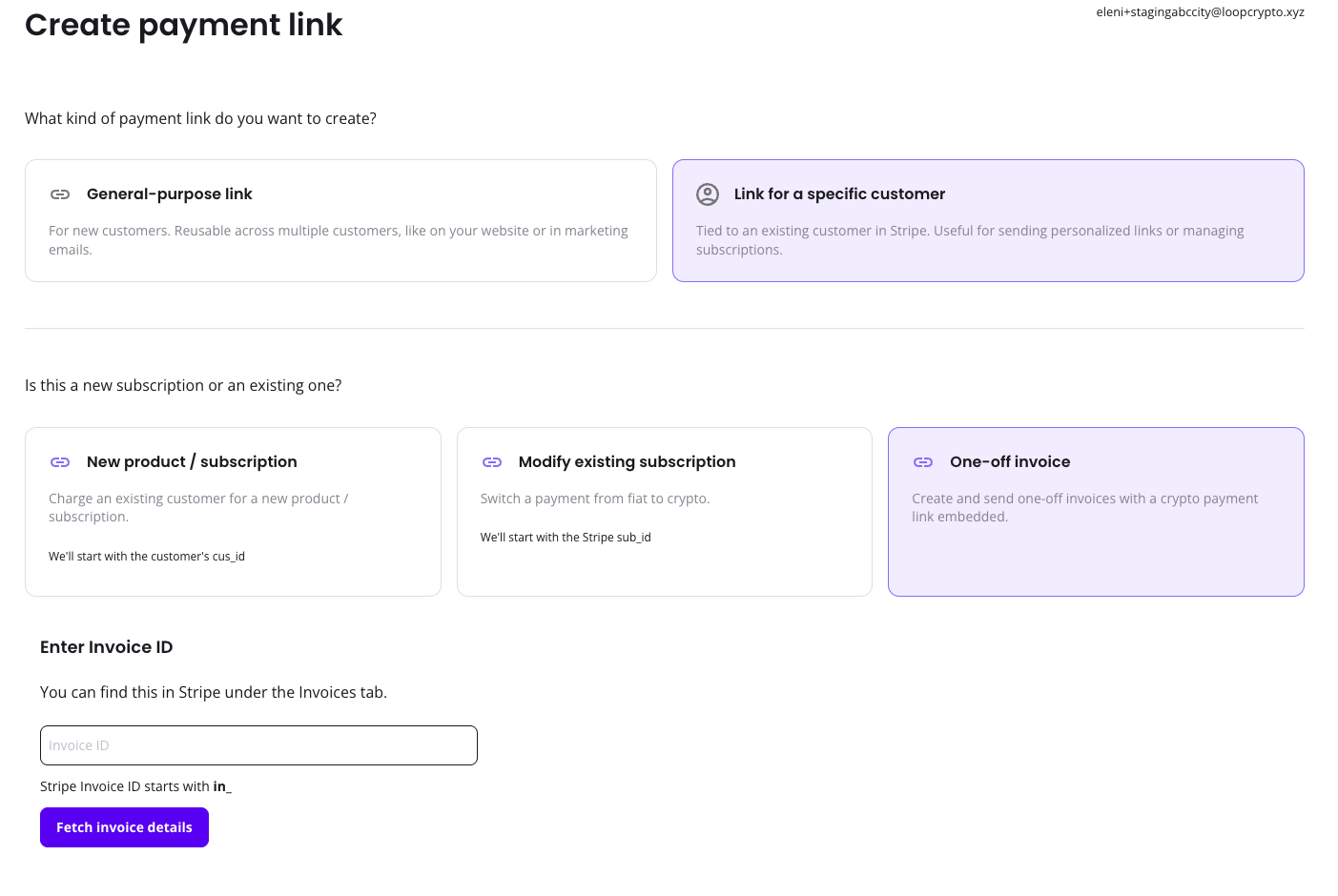
The payment link for one-off invoices is a single static link address that can be found on the Payment Links page on the Company Dashboard.
invoiceId or use the payment link builder on the dashboard.
Please note, Stripe does not create an invoice number until after an invoice is finalized
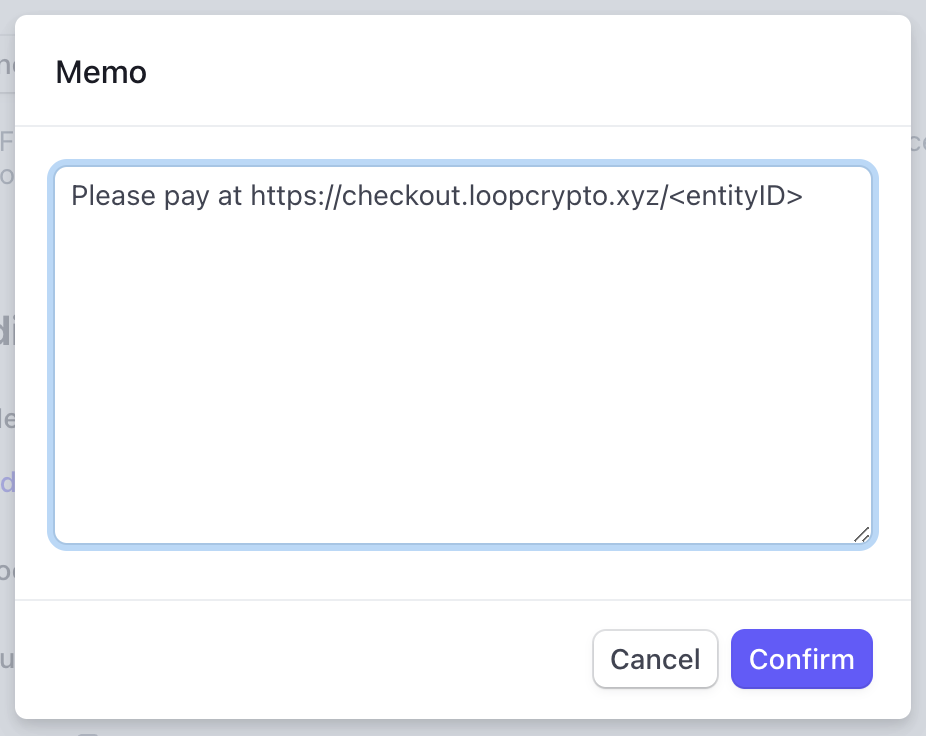
Add the Loop payment link automatically to all one-off invoices
To do this, navigate to Settings -> Billings -> Invoices -> Default memo field